Budget Global Expense
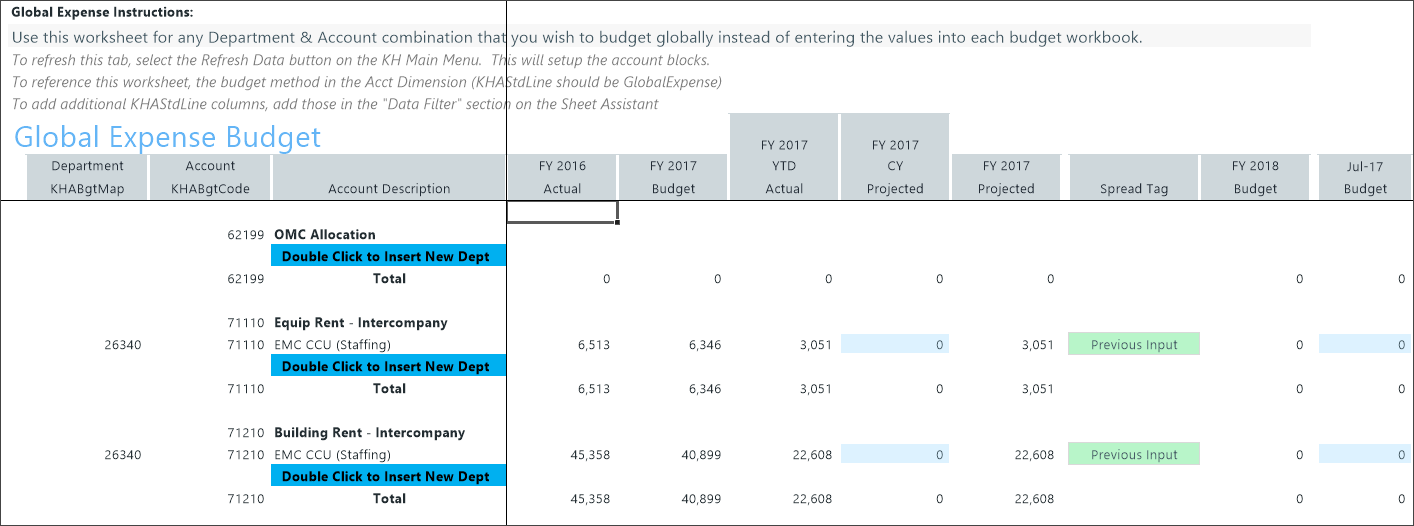
Healthcare facilities have many expenses that are shared across departments, such as building rent, utilities, IT services, insurance, and intercompany allocations. The 11 Budget Global Expense (Global Expense Budget) driver provides a centralized way to budget shared expense accounts across departments without splitting values across multiple budget plan files.
NOTE: Records from this driver appear on the Expense tab of the plan file.
Configure settings
Before opening the driver, configure the required accounts in the ACCT dimension.
This driver uses accounts that are classified as GlobalExpense in the ACCT dimension standard line (StdLine) column. You must complete this setup before using the driver.
-
Go to Admin > Admin Task Panes > Budget Admin > View Dimension Tables.
-
Double-click ACCT and complete the Open Table in Spreadsheet form.
-
Find the account in the Account Number column.
-
Double-click the StdLine field (for example, KHAStdLine) to view the calculation method values.
-
Select GlobalExpense.
-
To save, right click the ACCT tab and select Save.
NOTE: When you build plan files the system uses the current xxxStdLine configuration (Dept, KHABgtCode, KHACMDimGrp) regardless of data from previous cycles.
Configure driver settings.
- Go to Admin > Admin Task Panes > Budget Admin > Budget Assumptions and double click the desired driver set:
- Access NY Budget Assumptions (next year's budget drivers)
- Access CY Budget Assumptions (current year's budget drivers)
Choose the refresh variables.
NOTE: Refresh variable selection depends on the driver's requirements. Some variables may not display, and not all drivers include refresh variable options.
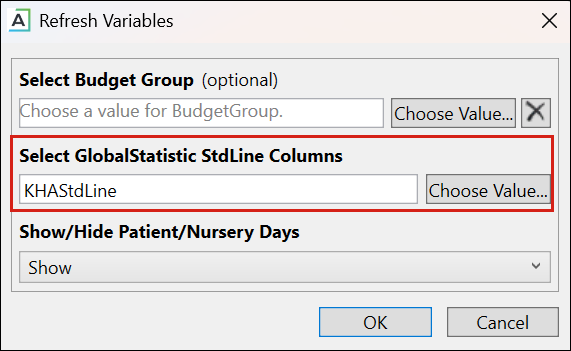
TIP: When refresh variables require a standard line, you must select at least one. If none are selected, the OK button is disabled.
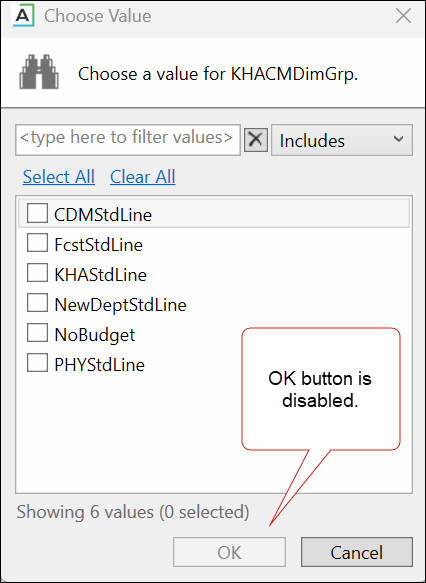
KHAStdLine is the default for the following drivers: 7-10 Budget Global Data, 05 Global Depreciation, 11 Global Expense Budget, and 12 Budget Revenue Global Revenue.
Department selection appears for the following drivers: 03 Budget Statistics, 05 Budget Depreciation, 11 Global Expense Budget, 12 Global Revenue Budget, 14 Budget Labor Rates, 20 Budget Global Sum, 23 Budget Global Labor Premium Dollars, 24 Budget Labor Benchmark, 28 Budget Labor Target, 36 Budget Provider Simple Dept Config, 42 Bugdet Stat Account.
-
To save any changes, right click the driver tab and select Save > Save Data Only.
Budget Global Expense driver configuration includes the following task:
